

Need to transfer your script?
The Green Life Clinics Patient Portal is only for existing patients who have registered their details with our pharmacy. Please log in using the same details you provided when setting up your account with us.
If you are not yet a Green Life Clinics patient but have a script from another alternative medicine clinic, you will need to transfer your script first.
Need to transfer your script?


is our next step in making life-changing alternative healthcare accessible to you.
To access your account:
Did you know you can manage your prescriptions even more easily via our mobile app?
Download the Green Life Clinics Patient App to:
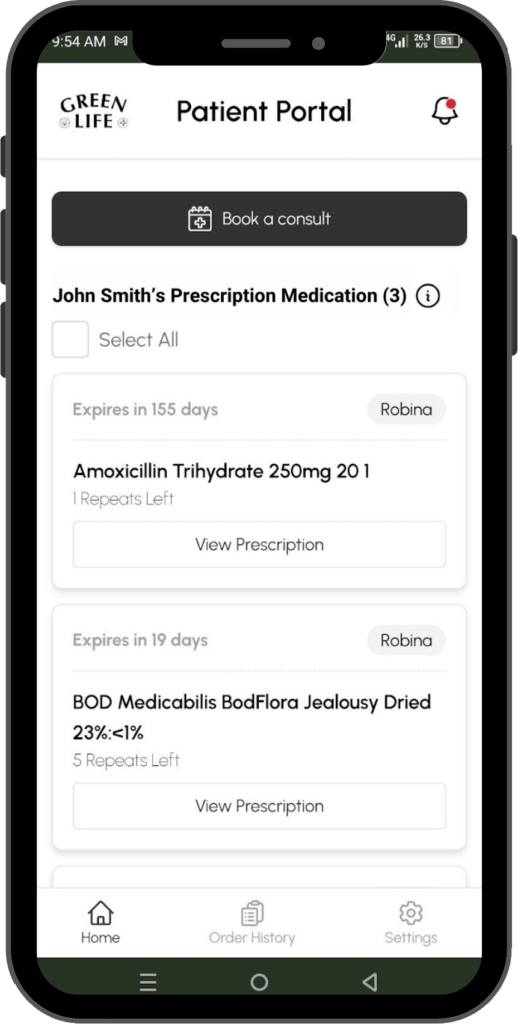
If you are already a customer of Green Life Clinics, just head on to our app and register with the email you have provided us during your most recent transaction. Select the pharmacy that is most convenient for your ordering and we will verify your account and send you your credentials.
They are already there! As long as they are ongoing scripts that have been dispensed with Green Life Clinics at any point, they will be visible on your home page.
A notification will appear on the app for any updates on your order. You will also receive a text message once your order is ready for you.
Products that appear on the App homepage are the only valid scripts you can order. If a script is not on the list it may be because of one of the following reasons:
If you believe a valid script is not appearing on your home page, feel free to contact our clinic to have it verified and corrected.
On the app, head on to the Order History page and see the status beside each product. You can also view the details and see if the Pharmacy has any notes regarding your order.
On the login page, click on the Forgot Password link below the password input field. Put in your email and we’ll send you a link and code to reset your password.
Each time you order, you can change your address! On the ordering page, click the arrow beside the Express Post Address. From there, you can add an address and input your preferred delivery address.
Book a FREE 10-minute call
Our initial calls are for patients to better understand the clinical process and requirements our treatment plans.